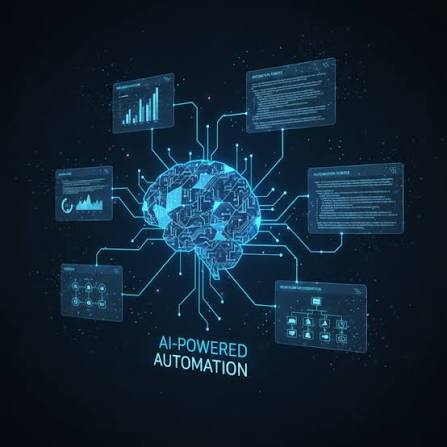
Businesses are moving beyond using AI as a simple chatbot or standalone productivity tool. In 2026, the bigger opportunity is to connect artificial intelligence with existing business processes so that information can move automatically between systems, decisions can be supported by AI, and repetitive tasks can be completed with less manual effort.
An AI-powered workflow is essentially a structured sequence in which AI handles selected steps of a repeatable business process. A typical workflow can include a trigger, input, AI processing, a decision, an action, human review when necessary, and a feedback loop.
Start With a Specific Business Problem
The best AI workflows begin with a business problem rather than a technology choice. Before selecting an AI model or automation platform, identify where employees are spending excessive time, where information is repeatedly transferred between systems, or where customers experience unnecessary delays.
For example, a company may receive hundreds of customer inquiries every month. Instead of having employees manually read, categorize, assign, and respond to every inquiry, an AI-powered workflow could analyze each request, determine its category, retrieve relevant information, update the CRM, and route complex cases to an employee.
This approach ensures that AI is connected to a measurable business objective.
Map the Existing Workflow
Before automating a process, document how it currently works. Identify the trigger, information required, systems involved, people responsible, decisions made, and final outcome.
Mapping the workflow can expose unnecessary steps and bottlenecks. It also makes it easier to decide which parts should remain deterministic and which parts would benefit from AI reasoning.
Microsoft’s current guidance recommends defining the business problem, identifying required data, mapping workflows or agents, selecting interaction patterns, choosing tools, testing the solution, and establishing governance before deployment.
Identify Where AI Adds Value
Not every step of a workflow needs AI. Traditional automation is often better for predictable actions such as moving data, sending notifications, updating records, or applying fixed rules.
AI is more useful when a workflow needs to interpret text, classify information, summarize documents, understand customer intent, generate content, extract meaning from unstructured data, or make decisions within defined boundaries.
Microsoft’s workflow architecture similarly distinguishes between deterministic business logic and AI-powered reasoning, allowing organizations to use AI only where it provides an advantage.
Choose the Right AI Model and Tools
The technology stack should be selected after the workflow has been defined. Depending on the use case, a business may require a large language model, machine learning model, retrieval system, AI agent, API integrations, database connections, or an automation platform.
Businesses should also consider cost, performance, privacy, reliability, scalability, and integration requirements before selecting a model.
Using the most powerful model for every task is not necessarily the best approach. Recent enterprise AI discussions increasingly emphasize modular workflows and matching computational resources to individual tasks to control operating costs.
Connect AI With Business Data
An AI workflow becomes significantly more useful when it has access to the right business context. This could include customer information, product catalogs, internal documents, CRM records, policies, databases, or knowledge bases.
However, access should be controlled. AI should only receive the information required for the task and should operate within appropriate permissions.
The quality of the workflow depends not only on the AI model but also on the quality and accessibility of the business data surrounding it.
Build the Workflow Step by Step
A practical AI workflow can be designed around a simple structure.
A customer submits a request. The workflow receives the input and extracts relevant information. AI analyzes the request and determines its intent. The system checks the appropriate business data. A decision is made based on predefined rules and AI analysis. The workflow then performs an action, such as updating a CRM record, sending a response, creating a task, or escalating the case to an employee.
This combination of structured automation and AI reasoning creates a more predictable system than simply giving an AI agent complete control over an entire process.
Add Human Approval Where Necessary
Human involvement remains important for decisions involving financial transactions, sensitive customer information, legal requirements, compliance, or significant business consequences.
An AI workflow can prepare a recommendation or draft an action while an employee reviews and approves it.
Microsoft’s current business-process guidance describes agentic systems that operate within defined boundaries and escalate exceptions to humans, while accountability remains with the business.
Human review therefore does not make an AI workflow ineffective. Instead, it can create an appropriate balance between automation and accountability.
Test Before Full Deployment
An AI workflow should be tested with real-world examples before being released across the organization. Testing should include normal situations, unusual inputs, incomplete information, incorrect data, and potential failure scenarios.
Businesses should evaluate whether the workflow produces accurate results, performs actions correctly, handles exceptions, and escalates situations appropriately.
Microsoft’s recommended development process includes testing and refining the workflow before deployment and establishing governance for ongoing operation.
Measure Business Performance
The success of an AI-powered workflow should be measured using business outcomes rather than AI usage alone.
Useful measurements can include time saved, processing speed, error reduction, employee productivity, customer response time, conversion rates, operating costs, and revenue impact.
For example, if an AI workflow is introduced for lead qualification, the business could compare qualification time, sales response time, lead conversion rates, and employee workload before and after implementation.
Clear metrics make it easier to determine whether the workflow should be improved or expanded.
Monitor and Improve the Workflow
AI workflows should not be treated as projects that end immediately after deployment. Business processes change, data changes, customer behavior changes, and AI models can produce unexpected results.
Continuous monitoring can help identify errors, performance problems, rising costs, and opportunities for improvement.
Feedback from employees is also valuable because the people using the workflow every day can identify problems that may not appear in technical testing.
Scale Successful AI Workflows
Once one workflow demonstrates measurable value, businesses can look for similar opportunities in other departments.
A customer-service workflow could eventually connect with sales and marketing systems. A document-processing workflow could connect with accounting or operations. An AI-powered lead workflow could connect marketing campaigns, CRM systems, sales notifications, and customer follow-up.
The objective is to gradually create a connected AI operating environment rather than a collection of isolated AI tools.
PwC’s 2026 guidance emphasizes that enterprise AI creates greater value when organizations redesign workflows, decisions, and accountability around business outcomes rather than simply adding AI to individual tasks.
Common Mistakes to Avoid
One common mistake is selecting AI tools before understanding the business process. Another is trying to automate an entire workflow immediately without testing individual steps.
Businesses should also avoid giving AI excessive permissions, using poor-quality data, ignoring employee feedback, or measuring success only by the number of automated tasks.
A successful workflow should be reliable, secure, measurable, and connected to a genuine business objective.
How QSSols Can Help Build AI-Powered Workflows
QSSols can help businesses design AI-powered workflows that connect artificial intelligence with existing websites, applications, databases, CRM platforms, and automation systems.
The process can begin with identifying repetitive or high-value business processes, mapping the current workflow, selecting suitable AI capabilities, developing integrations, implementing approval controls, and measuring the resulting business improvements.
This approach allows businesses to use AI as part of their operational infrastructure rather than as another disconnected software tool.
The Future of AI-Powered Business Workflows
AI-powered workflows are becoming more sophisticated as AI agents gain the ability to perform multi-step tasks and interact with business systems. Current Microsoft guidance describes workflows as a middle ground between fully autonomous agents and traditional deterministic pipelines, allowing businesses to place AI reasoning only in the steps where it is most useful.
This model can provide businesses with both flexibility and control. AI can handle complex interpretation and reasoning while conventional automation manages predictable actions.
The result is a business workflow that is intelligent without becoming unnecessarily unpredictable.
Conclusion
Building an AI-powered business workflow starts with understanding the process, identifying a valuable problem, and determining where AI can provide meaningful advantages. Businesses should map their workflows, prepare relevant data, select appropriate AI technologies, connect existing systems, establish human approval points, test the process, and continuously measure performance.
The goal is not to replace every manual activity with AI. It is to create smarter processes in which AI handles appropriate tasks while employees retain control over important decisions.
In 2026, businesses that approach AI as a workflow and operating-model transformation rather than simply another software tool can create more efficient operations, better customer experiences, and scalable foundations for long-term digital growth