
Flight status where you already look
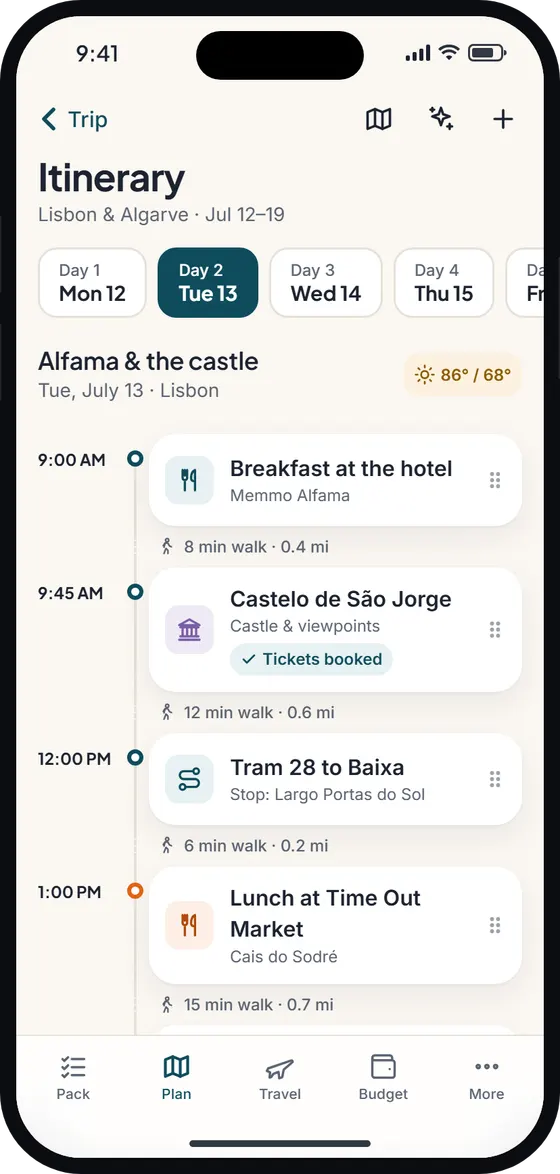
Most flight tracker apps are a separate place to check. In Wayfold, the status sits on the flight itself: on the ticket-style booking card on the Travel tab, and on the itinerary timeline where that flight appears. One glance tells you if the plan still holds.
The flight tracker shows whether a flight is scheduled, delayed, departed, landed, cancelled or diverted, along with the gate, terminal and estimated times when they’re available. The pill is color-coded, so a delay or cancellation stands out at a glance.
Alerts for the changes that matter
You don’t need to keep refreshing. For Pro members, Wayfold checks flights departing in the next 36 hours and sends a push notification when:
- the delay changes by 15 minutes or more – “TP1352 is delayed 45 min, now departing 15:40.”
- the gate changes – “Gate change for TP1352: now gate 57 (was 52).”
- the flight is cancelled – “TP1352 has been cancelled. Check with the airline for rebooking.”
Each change is sent once, so a long delay doesn’t turn into a stream of buzzes.
Part of the whole trip
Flights sit on the itinerary at the departure and arrival airports’ local times, so a red-eye from Newark to Lisbon shows on both days. Your hotel check-in, car hire (rental car) pick-up and activities are on the same timeline, so if a delay pushes your landing back, you can see what it affects straight away.
Add flights manually for free, or on Pro forward the airline’s email and let booking import create the booking for you.
What it doesn’t do
Flight status comes from a flight-data provider and can be a few minutes behind the airport boards; updates are refreshed regularly rather than second by second. Airlines also post changes at different speeds. For rebooking, connections and anything urgent, the airline and the departure boards are the final word.
Free vs Pro
The flight tracker is part of Pro: $4.99/month or $29.99/year with a 7-day free trial, or $69.99 for Lifetime as a launch offer (£4.49, £26.99 and £64.99 in the UK; prices may vary by region). Free users can add flight bookings and see them on their itinerary, with a locked “Flight tracker” pill that shows what Pro adds.
Live status and alerts need an internet connection. Your bookings themselves – times, confirmation numbers, terminals you’ve entered – are stored on your phone and work offline.
Wayfold is coming soon to iPhone and Android.
Questions about the flight tracker
Is the flight tracker free?
No, it’s part of Pro, which has a 7-day free trial. Free users can still add flights and see them on the itinerary. See pricing.
When will I get a delay alert?
For flights departing in the next 36 hours, when the delay changes by 15 minutes or more, the gate changes, or the flight is cancelled. Each change is sent once.
How accurate is the flight status?
It comes from a flight-data provider and can lag the airport boards by a few minutes. Always confirm urgent changes with your airline.
Does the flight tracker work offline?
No. Live status needs internet. Your booking details stay available offline.